
Back to portfolio
Restaurant Platform logoRestaurant operations

Restaurant Platform

Restaurant customer ordering and admin operations with audit logs, handover flows, dish details, cart, and checkout screens.

ReactViteRestaurantAdminOrdering

The restaurant platform pairs a customer ordering app with an admin operations workspace. The customer app covers menu discovery, dish details, search, favorites, cart, order-type selection, dine-in/takeaway/delivery checkout branches, payment, success, orders, reservations, account, loyalty, reviews, notifications, restaurant info, and support. The admin app covers login with role selection, RBAC, orders, reservations, menu operations, tables, staff shifts, handover notes, reports, audit logs, unauthorized, and not-found states.

The route documentation makes this a good two-sided product example: public customer ordering routes, guarded checkout steps, protected account routes, and admin routes with permission gates for different restaurant roles.

Presentation

Mockups

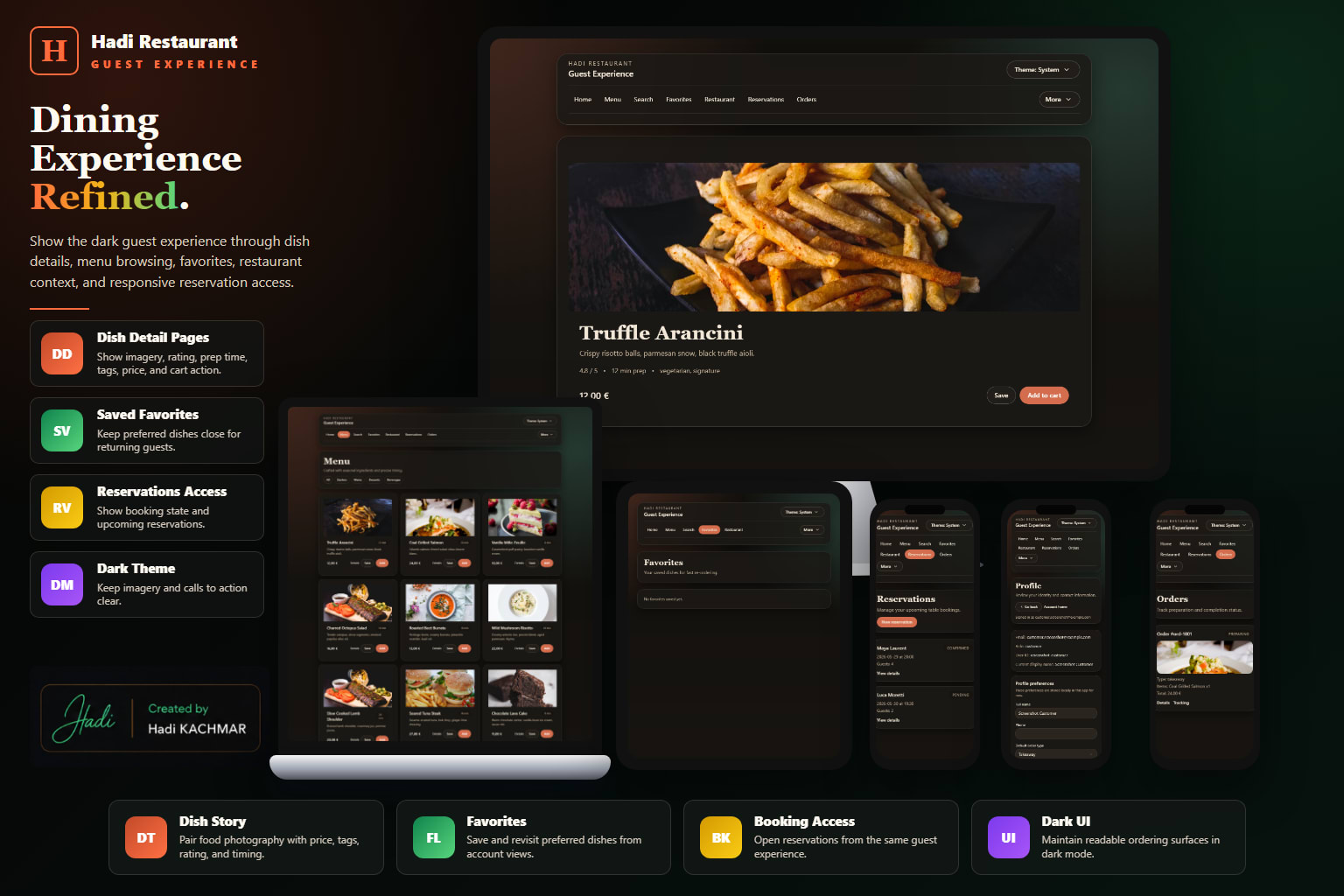
HadiRestaurant user menu discovery mockup
HadiRestaurant user dish ordering mockup
HadiRestaurant user reservations and loyalty mockup
HadiRestaurant admin orders operations mockup
HadiRestaurant admin reservations and tables mockup
HadiRestaurant admin menu and reports mockup
Details

App presentation

Customer App

Dish discovery, cart, checkout, dish details, and customer ordering screens.

A customer ordering experience for browsing a restaurant menu, opening dish details, searching and filtering dishes, saving favorites, managing cart quantities, selecting order type, completing dine-in/takeaway/delivery checkout branches, applying coupon/review context, choosing payment, viewing success confirmation, tracking orders, making reservations, and managing a protected account area.

  • Public routes cover home, menu, search, dish details, favorites, restaurant info, help, contact, cart, orders, order details, tracking, reservations, and reservation details.
  • Checkout flow branches through order type, dine-in, table context, takeaway, delivery, review, payment, and success.
  • Route guards protect takeaway, delivery, checkout review, and checkout success based on required flow context.
  • Protected account area includes overview, profile, orders, favorites, reservations, loyalty, reviews, notifications, and settings.
  • The app supports light/dark/system theme mode through a customer-facing theme dialog.

Menu Discovery

  • Home page gives quick restaurant entry points and current customer-facing context.
  • Menu route supports category browsing across dishes.
  • Search route adds filtering and sorting for menu discovery.
  • Dish detail route supports detailed item information and add-to-cart behavior.

Ordering Flow

  • Cart route supports review and quantity edits before checkout.
  • Order-type route splits the journey into dine-in, takeaway, and delivery paths.
  • Dine-in flow includes direct dine-in setup and table-code context confirmation.
  • Takeaway and delivery flows are protected by order-type context, then move through final review, coupon, payment, and success.

Customer Account

  • Mock login unlocks the protected account module.
  • Account pages cover profile preferences, order history, favorites, reservations, loyalty, reviews, notifications, and settings.
  • Order routes cover list, detail, and tracking timeline outside the account area as well.
  • Reservation routes support list, create, and detail views for dining plans.

Support And States

  • Restaurant info, help, and contact pages add non-transactional customer support content.
  • Favorites create intent before ordering.
  • The user app has a not-found fallback and a planned explicit unauthorized route.
  • Mock/local persistence keeps the demo safe while still showing full ordering behavior.

Admin App

Audit logs, permissions, handover states, and operations management.

A restaurant admin app for shift-based operations. Admin users sign in with a mock role, then access modules through RBAC permission gates. The workspace covers role-aware home, handover notes and acknowledgements, orders dashboard actions, reservation operations, menu availability/price/prep controls, tables and occupancy management, staff shift control, reports analytics, audit log export/clear controls, unauthorized handling, and not-found fallback.

  • Admin roles include admin, manager, kitchen staff, waiter, cashier, and delivery staff.
  • Permission gates control access to orders, reservations, menu, tables, staff, reports, audit, and handover areas.
  • Orders and reservations dashboards support operational workflow actions.
  • Menu management supports availability, price, and preparation controls.
  • Tables, staff shifts, handover notes, reports, and audit logs cover shift-to-shift restaurant operations.
  • Unauthorized and not-found pages are implemented for admin routing feedback.

RBAC Model

  • Admin login includes mock role selection to demonstrate different operational permissions.
  • Admin and manager roles have broad access across the restaurant workspace.
  • Kitchen staff focus on order, menu, and handover workflows.
  • Waiter, cashier, and delivery staff receive narrower visibility based on their operational responsibilities.

Live Operations

  • Orders dashboard gives staff a queue and workflow actions for active service.
  • Reservations dashboard supports reservation operations and status handling.
  • Tables management covers floor status and assignment context.
  • Staff shifts route supports shift and station control.

Menu And Handover

  • Menu management handles availability, price, and preparation-related controls.
  • Handover notes board supports shift handoff and acknowledgement behavior.
  • Permission-gated handover access keeps cross-shift context available to the right roles.
  • Audit log records operational changes and includes export/clear controls.

Reporting

  • Reports analytics route gives KPI and performance visibility for restaurant operations.
  • Cashier access can include reporting while other roles remain focused on active service.
  • Unauthorized page explains permission failures inside the admin shell.
  • Not-found fallback supports unknown admin paths cleanly.