



PhronEdge Platform
Admin console with dashboard analytics, members, teams, PhronOps activation, integrations, and settings.
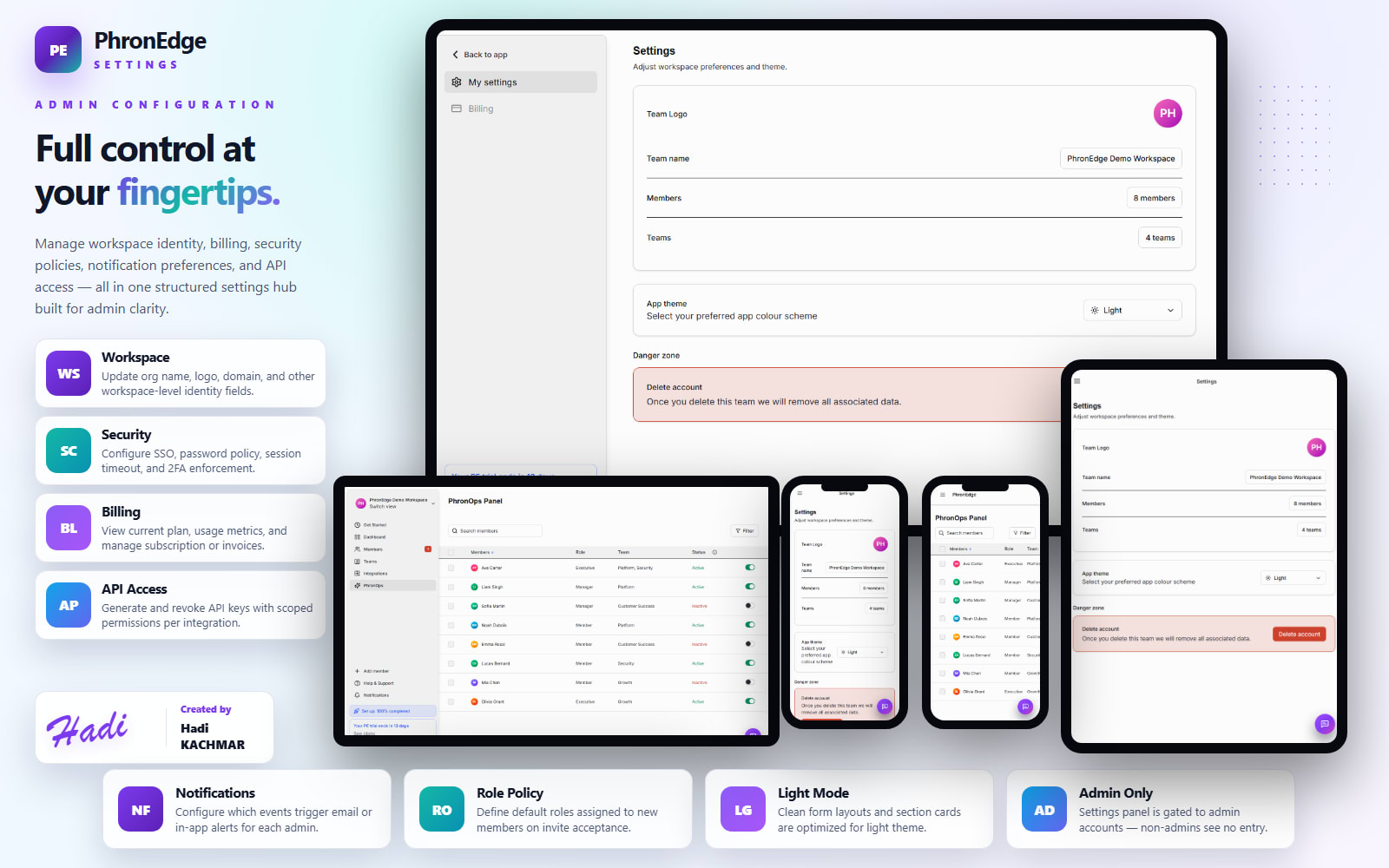
PhronEdge is a workspace intelligence platform built as a single-page React + Vite application with a clean MVVM architecture. The dashboard surfaces KPI cards (active members, PhronOps coverage, connected integrations, team count), a PhronOps donut chart, a role-composition stacked bar, an integration health breakdown, and a live top-members table. Members are managed through a searchable, role-filtered table with bulk Excel export, per-row PhronOps toggle, add-member dialog, and an invite flow. The teams directory shows member count and last-updated metadata; each team detail page lists its full roster with role and status indicators. The PhronOps module gives admins a dedicated activation grid with bulk select, smart filters by status/role/team, and real-time coverage percentages. Integrations support GitHub, Jira, GitLab, Slack, Azure DevOps, Google Workspace, Microsoft Teams, and more — with OAuth consent, org-wide vs. per-team scope control, and enable/disable sync. Settings cover workspace identity, security policies, billing, notification preferences, and API key management. A multi-step onboarding wizard walks new admins through welcome, member invites, and tool connections, finishing with a progress-tracked quick-start checklist.
- Dashboard with KPI cards, PhronOps coverage donut, role-mix chart, integration health breakdown, and live member snapshot.
- Members table with search, role filter chips, bulk Excel export, per-row PhronOps toggle, and invite flow.
- Teams directory with member count metadata and team detail pages showing full rosters with role and status indicators.
- PhronOps activation grid with bulk toggle, coverage percentage, and smart filters by status, role, and team.
- Integrations hub supporting 8+ providers with OAuth consent, org-wide / per-team scope control, and sync toggle.
- Multi-step onboarding wizard with progress dots and a quick-start checklist tracking setup completion percentage.
- Full light and dark theme support with a polished sidebar nav, mobile app bar, and responsive layouts.
Dashboard & Analytics
- KPI cards show active members, PhronOps coverage rate, connected integrations count, and total teams.
- PhronOps donut chart visualizes enabled vs. total members with live percentages per team.
- Role-composition stacked bar breaks down executive, manager, and member ratios across the org.
- Integration health card shows connected, disconnected, and paused counts at a glance.
Members & Teams
- Members table supports free-text search, role filter chips (Executive, Manager, Member), and status filters.
- Per-row actions include role assignment, PhronOps toggle, and member removal with confirmation.
- Bulk Excel export downloads the currently filtered member list as a spreadsheet.
- Teams directory lists all teams with member count and metadata; team detail pages show the full roster.
PhronOps Management
- Dedicated PhronOps page shows a full activation grid with per-member enable/disable toggles.
- Bulk select allows flipping multiple members' activation state in a single action.
- Coverage insight bar tracks total activated vs. total members with a live percentage.
- Filters by activation status, role, and team let admins target the right subset instantly.
Integrations & Onboarding
- Integration hub lists supported providers with Connected, Disconnected, Paused, Revoked, and Coming Soon status badges.
- OAuth consent flow presents an explicit permission summary per provider before connecting.
- Scope control toggles each integration between org-wide and per-team access.
- Multi-step onboarding wizard covers workspace welcome, member invites, and tool connections with a live progress tracker.