
Back to portfolio
Ecommerce Platform logoCommerce suite

Ecommerce Platform

Customer storefront and admin operations with carts, checkout states, dashboards, customers, and product management surfaces.

ReactViteTailwind CSS v4StorefrontAdminCheckout

The ecommerce suite combines a conversion-focused customer storefront with a role-aware admin console. The customer side covers onboarding, product discovery, catalog browsing, cart, checkout, orders, account management, support, and PWA diagnostics; the admin side covers products, orders, customers, support tickets, notifications, settings, role access, and feedback pages.

The route documentation is broad enough to present the product as a full commerce system: public storefront routes, auth routes, order lifecycle routes, account routes, support routes, admin authentication, protected admin modules, and dedicated unauthorized/error/not-found surfaces.

Presentation

Mockups

HadiStore user app light overview mockup
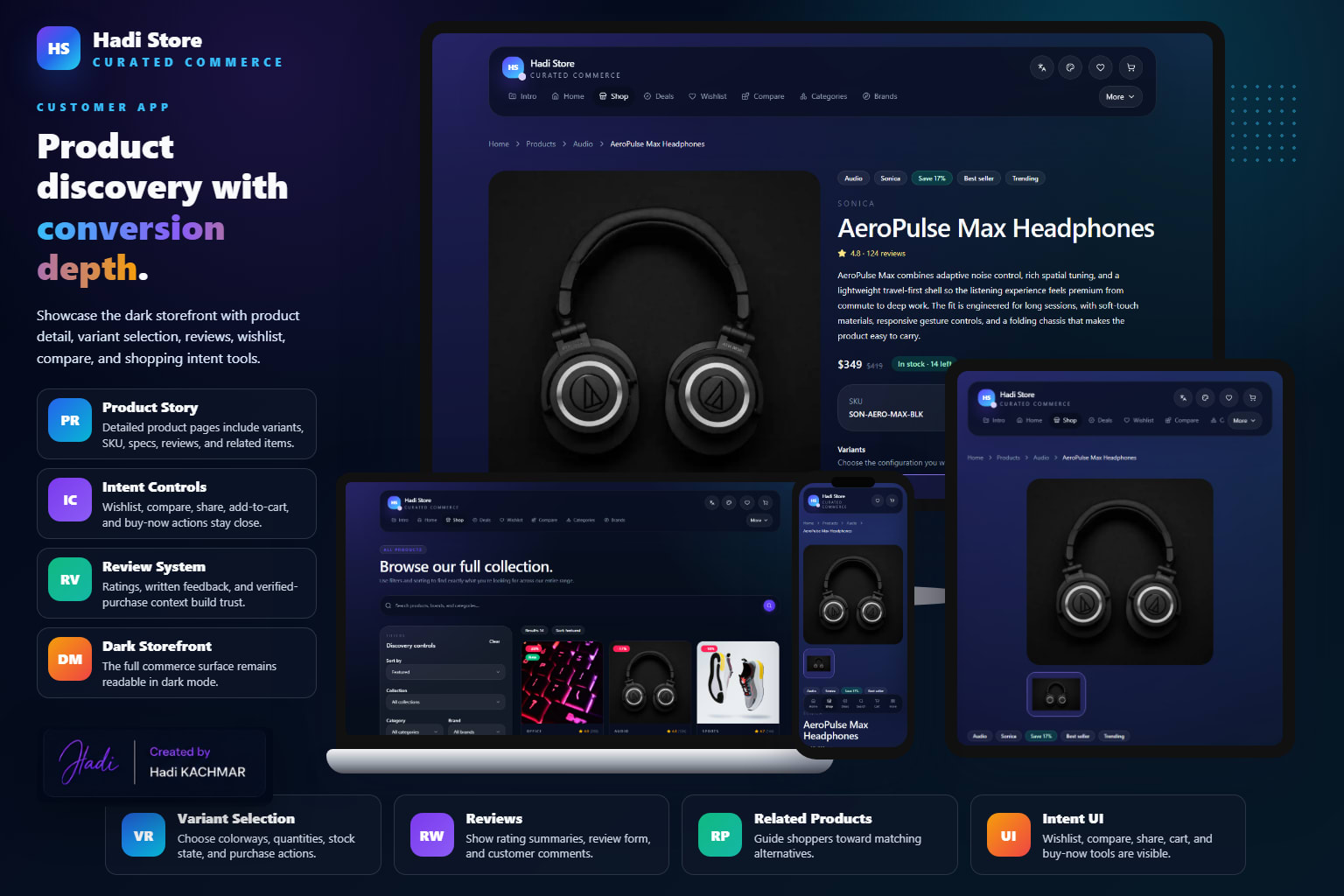
HadiStore user app dark commerce mockup
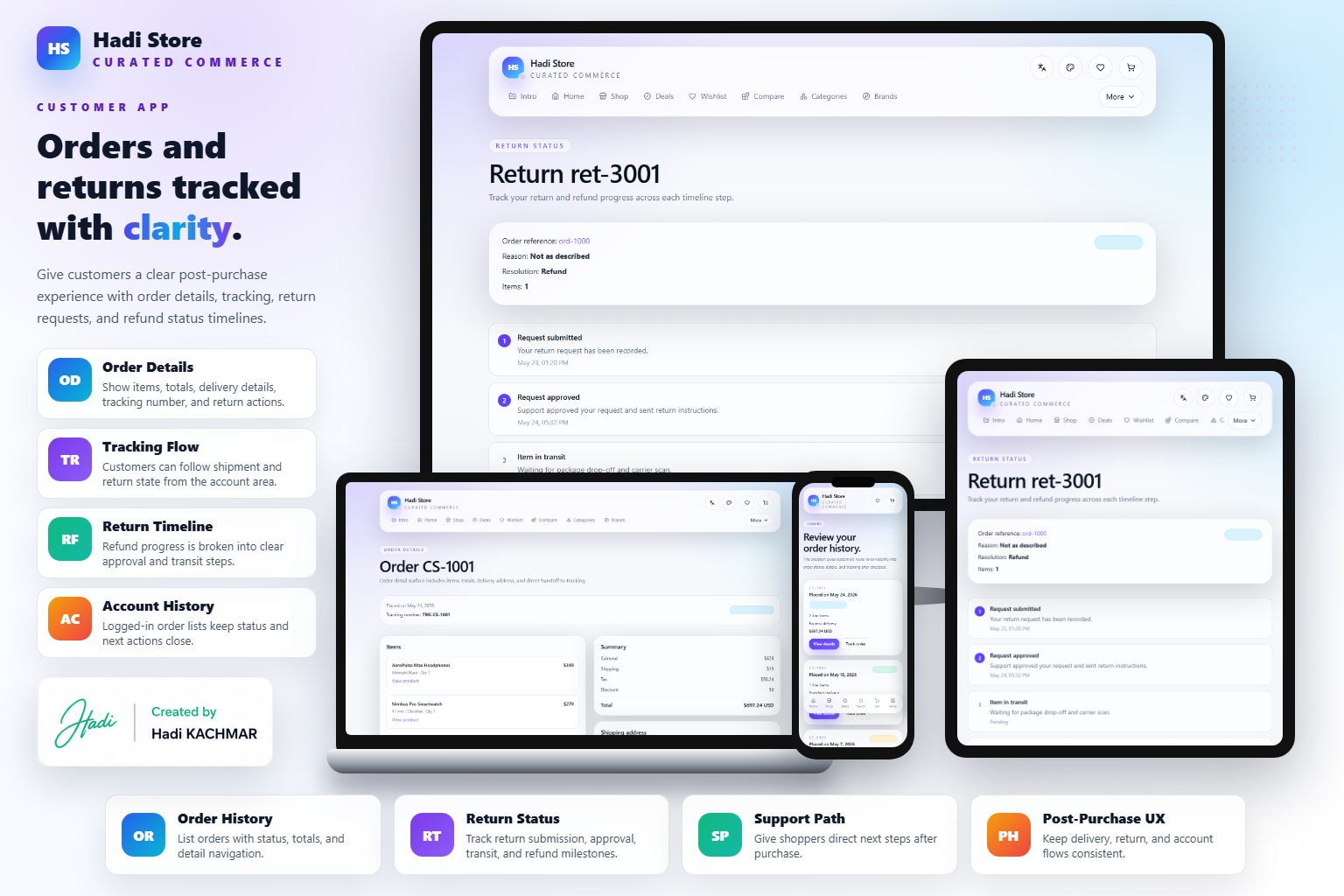
HadiStore user app returns mockup
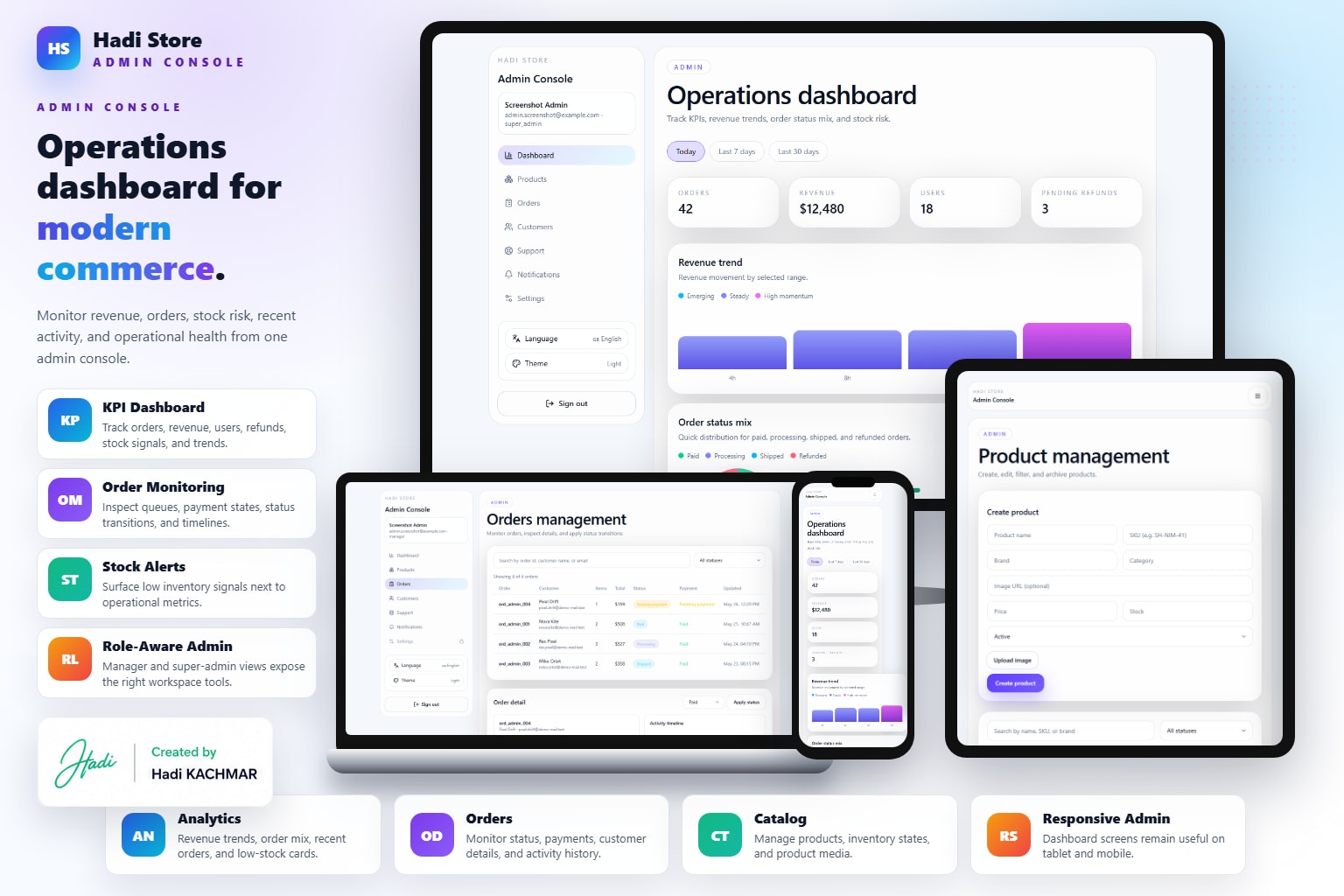
HadiStore admin light overview mockup
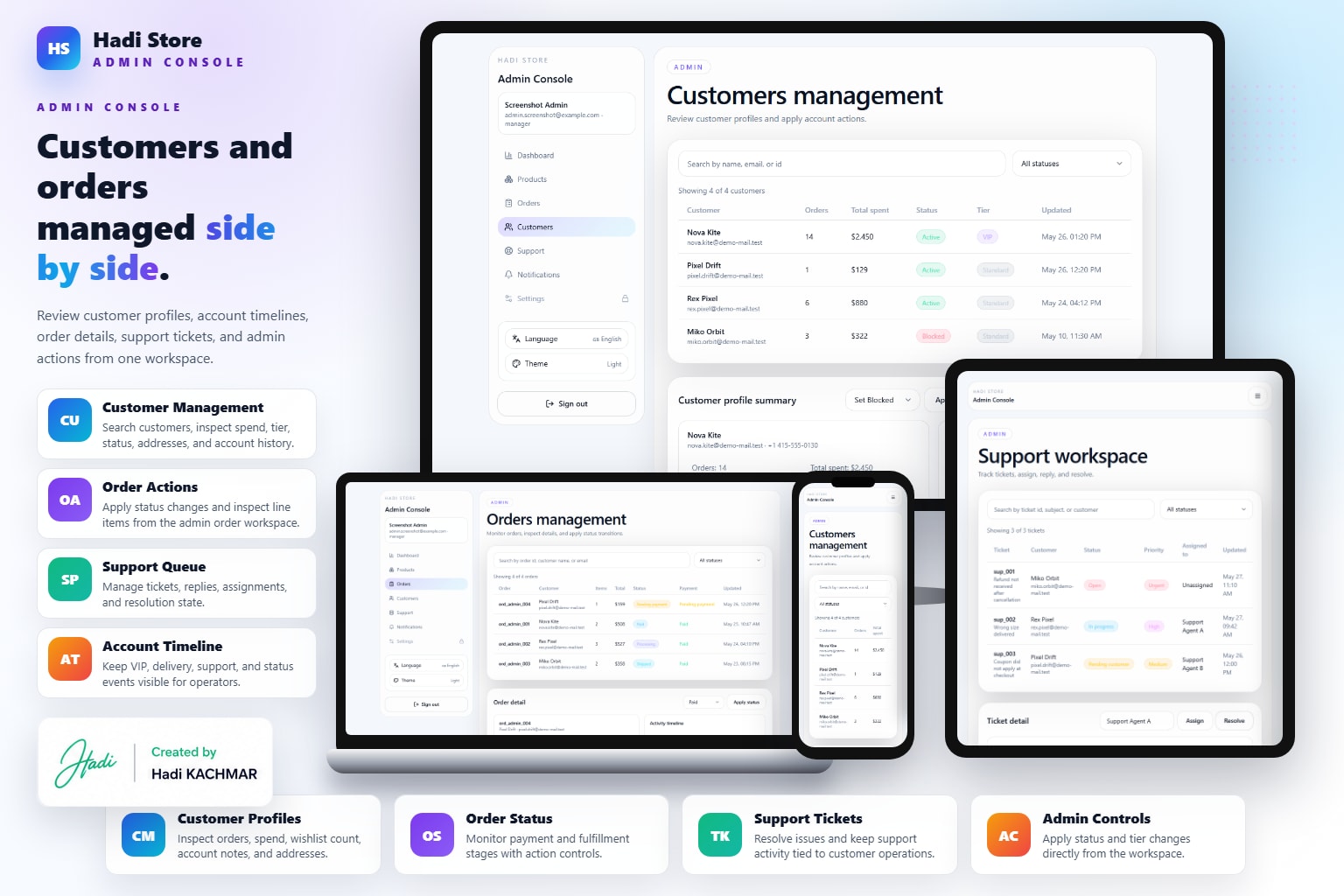
HadiStore admin customers and orders mockup
HadiStore admin dark operations mockup
Details

App presentation

Customer App

Product browsing, cart, checkout, empty states, and customer-facing purchase flow.

A customer storefront for the complete shopping journey. It starts with onboarding and a discovery home, then supports product/category/brand browsing, search controls, deals, wishlist, compare, cart, checkout, order success, order history, tracking, returns placeholders, account management, address book, help center, support contact, shopping guide, returns policy, and PWA status diagnostics.

  • Public storefront routes include landing, onboarding, home, products, product details, categories, category details, brands, brand details, search, and deals.
  • Intent features include wishlist, compare, recently viewed behavior, cart management, coupon-ready checkout, and mock payment selection.
  • Order lifecycle routes cover order success, order history, order details, shipment tracking, and returns/refunds placeholders.
  • Account and support modules include profile, notifications, settings, addresses, help center, support contact, returns policy, and shopping guide.
  • Theming, localization, mobile drawer/bottom navigation, feedback states, not-found, unauthorized, and error recovery are documented parts of the app.

Storefront Discovery

  • Landing and onboarding routes introduce the Hadi Store experience before the user enters `/home`.
  • Product listing, product details, category pages, brand pages, search, filters, sorting, pagination, and deals cover primary discovery behavior.
  • Reviews and ratings integration points help product detail pages feel commerce-ready.
  • Responsive mobile navigation patterns support browsing from smaller screens without changing the feature surface.

Shopping Intent

  • Wishlist and compare routes let users save or evaluate products before committing to cart.
  • Cart supports add, update, remove, quantity management, summaries, and persistence.
  • Checkout covers addresses, delivery preferences, coupons, and payment selection through a mock payment path.
  • Guest and customer states are both supported so the demo can show commerce without forcing real authentication.

Orders And Account

  • Order success, order list, order details, and tracking routes cover the post-purchase customer lifecycle.
  • Returns request and return details routes are reachable placeholders for future refund state-machine behavior.
  • Account dashboard, profile, notifications, settings, and address book build the returning-customer surface.
  • Help, support contact, returns policy, shopping guide, and PWA diagnostics round out customer support and system readiness.

Platform Qualities

  • Feature modules are wired through route integration, view/view-model layers, repositories, services, loading states, empty states, and error states.
  • Light/dark/system theme handling and multi-language support are part of the documented customer experience.
  • The current implementation is mock-first and API-ready, with real payment and backend persistence left for production integration.
  • Dedicated unauthorized, error, and not-found routes keep failure states visible in the portfolio.

Admin App

Dashboard, customer management, role-specific views, and ecommerce operations screens.

A commerce admin interface for operating the store behind the customer storefront. Admin users sign in through a dedicated route, then use role-based protected modules for dashboard KPIs, product CRUD, order queues and transitions, customer management, support tickets, notification/activity timelines, settings, permissions, feature toggles, integrations, and feedback pages.

  • Admin roles include support, manager, and super admin, each with different module access.
  • Dashboard covers KPIs, range switching, orders, low-stock signals, and chart surfaces.
  • Products module supports CRUD and image URL/upload-style flows with mock persistence.
  • Orders module includes queue filtering, detail review, and status transitions.
  • Customers, support, notifications, and settings expand the app from catalog management into store operations.
  • Unauthorized, error boundary, and not-found pages are implemented for realistic admin feedback.

Role Access

  • Support users can access dashboard, support, and notifications.
  • Managers can access dashboard, products, orders, customers, support, and notifications.
  • Super admins have full access, including settings, policies, feature toggles, and integrations.
  • Unauthorized routes are explicit, so restricted modules fail into a product-designed page rather than a blank state.

Operations Dashboard

  • Dashboard route gives an operational overview with KPIs, date/range switching, order signals, low-stock awareness, and charts.
  • Notifications and activity timeline create a central operational feed for store events.
  • Customer management supports customer listing and profile actions.
  • Support module covers ticket list, assignment, replies, and resolution workflows.

Catalog And Orders

  • Product management includes CRUD-style flows and image handling in mock persistence mode.
  • Order management includes filtering, detail inspection, and status transitions.
  • Admin routes map cleanly to feature ownership: dashboard, products, orders, customers, support, operations, and settings.
  • The admin app is intentionally separate from the customer app so operations can stay dense and work-focused.

Settings And Feedback

  • Settings expose role policies, feature toggles, and integration mode forms.
  • Theme and language dialogs keep admin preferences aligned with the customer app foundation.
  • Feedback pages include not-found, unauthorized, and error-boundary recovery surfaces.
  • Future scope includes granular permission editing, exports/reporting, richer analytics, and persistent audit logs.